

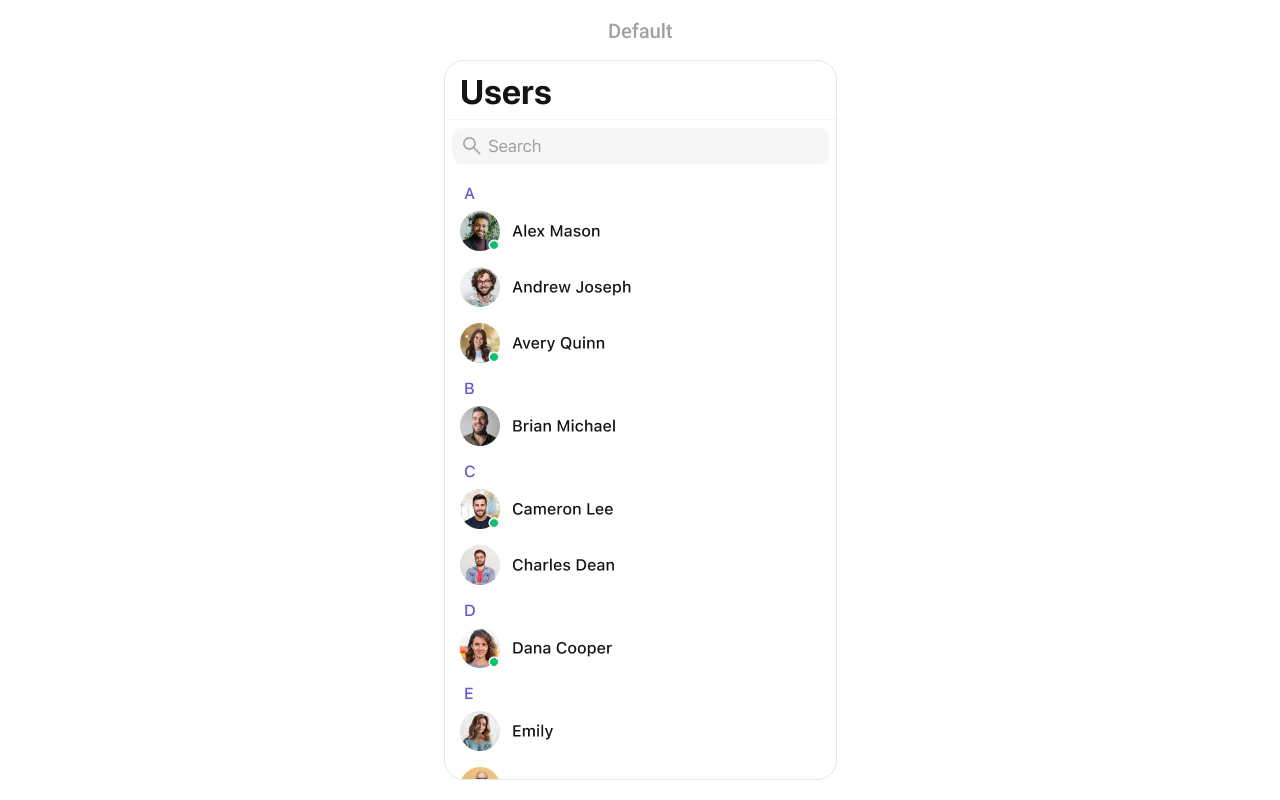
CometChatUsers component displays a searchable list of all available users. It shows user names, avatars, and online/offline status indicators. Users can be filtered, searched, and selected for starting conversations.
AI Integration Quick Reference
AI Integration Quick Reference
| Field | Value |
|---|---|
| Component | CometChatUsers |
| Package | CometChatUIKitSwift |
| Inherits | UIViewController |
Where It Fits
CometChatUsers displays all available users for starting new conversations. It’s typically used as a standalone screen or within a tab view controller.
Minimal Render
Filtering
UseUsersRequest.UsersRequestBuilder to filter which users appear in the list. The builder pattern allows chaining multiple filter conditions.
Filter Recipes
| Recipe | Code |
|---|---|
| Friends only | .friendsOnly(true) |
| Online users only | .set(status: .online) |
| Search by name | .set(searchKeyword: "John") |
| Filter by role | .set(roles: ["admin", "moderator"]) |
| Filter by tags | .set(tags: ["premium"]) |
| Hide blocked users | .hideBlockedUsers(true) |
| Limit results | UsersRequestBuilder(limit: 20) |
| Specific UIDs | .set(UIDs: ["user1", "user2"]) |
Actions and Events
Callback Props
onItemClick
Fires when a user taps on a user in the list. Use this to start a conversation.onItemLongClick
Fires when a user long-presses on a user. Use this to show additional options.onBack
Fires when the back button is pressed.onSelection
Fires when users are selected in selection mode.onError
Fires when an error occurs while loading users.onEmpty
Fires when the user list is empty.onLoad
Fires when users are successfully loaded. The callback receives a nested array where each inner array represents a section of users (grouped alphabetically).Actions Reference
| Method | Description | Example |
|---|---|---|
set(onItemClick:) | Triggered when a user is tapped | Start conversation |
set(onItemLongClick:) | Triggered on long press | Show options menu |
set(onBack:) | Triggered when back button is pressed | Custom navigation |
set(onSelection:) | Triggered in selection mode | Multi-select users |
set(onError:) | Triggered when an error occurs | Show error alert |
set(onEmpty:) | Triggered when list is empty | Show empty state |
set(onLoad:) | Triggered when users load | Analytics tracking |
Global UI Events
| Event | Fires when | Payload |
|---|---|---|
ccUserBlocked | A user is blocked | User |
ccUserUnblocked | A user is unblocked | User |
SDK Events (Real-Time, Automatic)
| SDK Listener | Internal behavior |
|---|---|
onUserOnline | Updates status indicator to online |
onUserOffline | Updates status indicator to offline |
Custom View Slots
| Slot | Signature | Replaces |
|---|---|---|
listItemView | (User) -> UIView | Entire user row |
leadingView | (User) -> UIView | Avatar / left section |
titleView | (User?) -> UIView | Name / title text |
subtitleView | (User?) -> UIView | Status / subtitle text |
trailingView | (User?) -> UIView | Right side content |
emptyStateView | () -> UIView | Empty state display |
errorStateView | () -> UIView | Error state display |
loadingStateView | () -> UIView | Loading state display |
listItemView
Replace the entire user row with a custom design.leadingView
Customize the leading view (avatar area) of a user cell.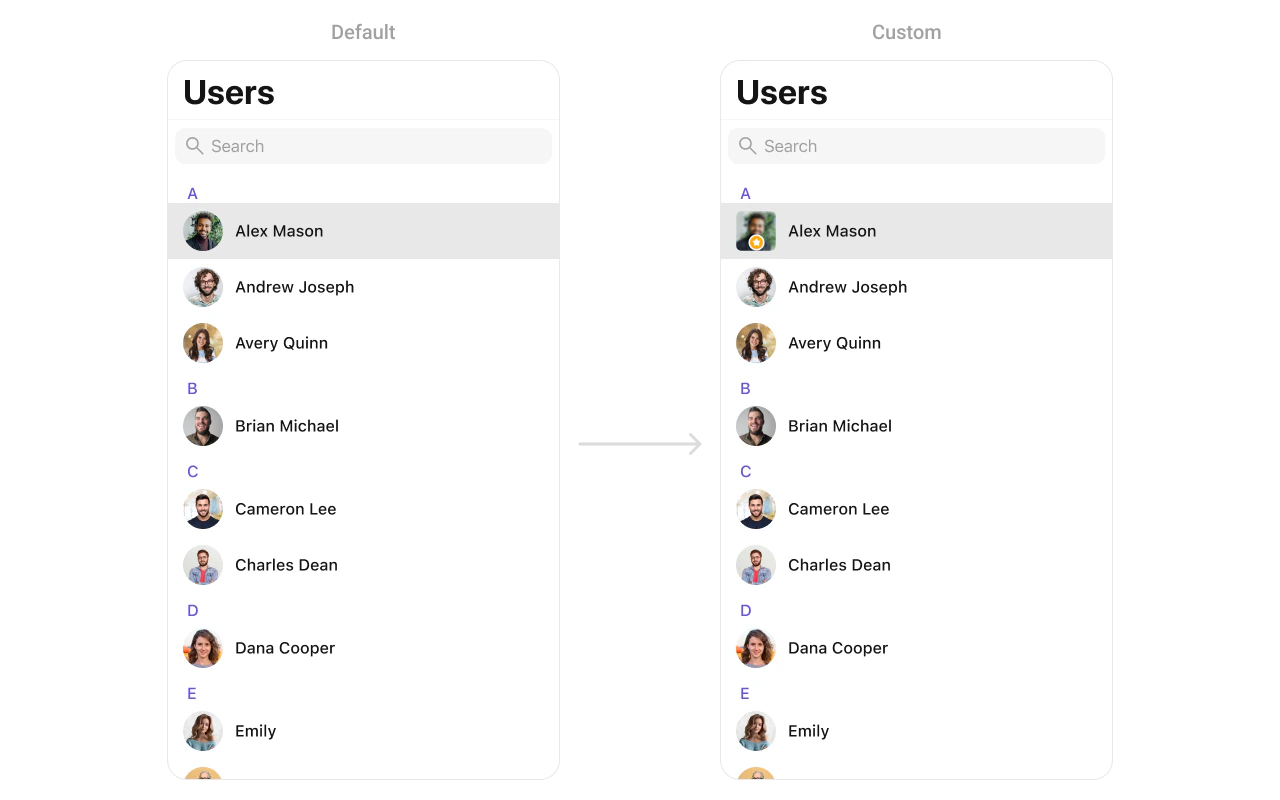
CustomLeadingView as a custom UIView:
titleView
Customize the title view of a user cell.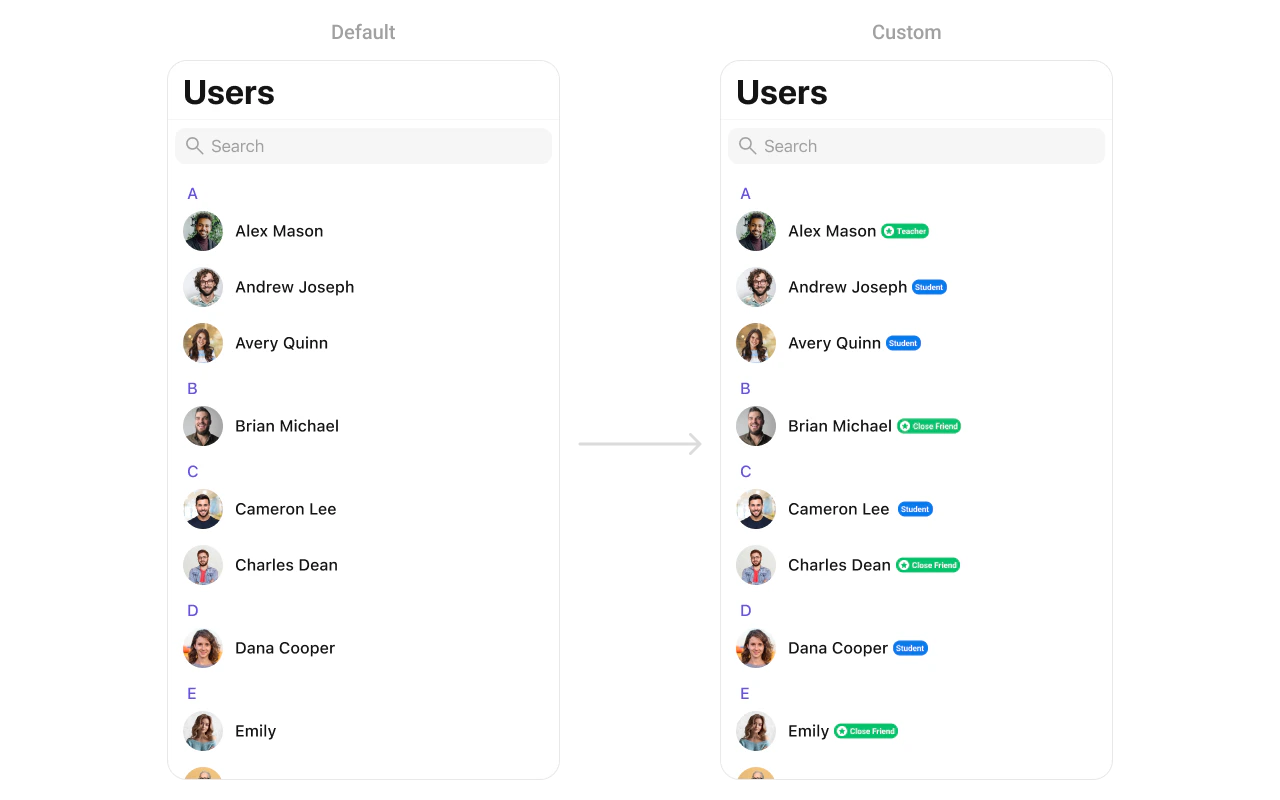
CustomTitleView as a custom UIView:
subtitleView
Customize the subtitle area below the user name.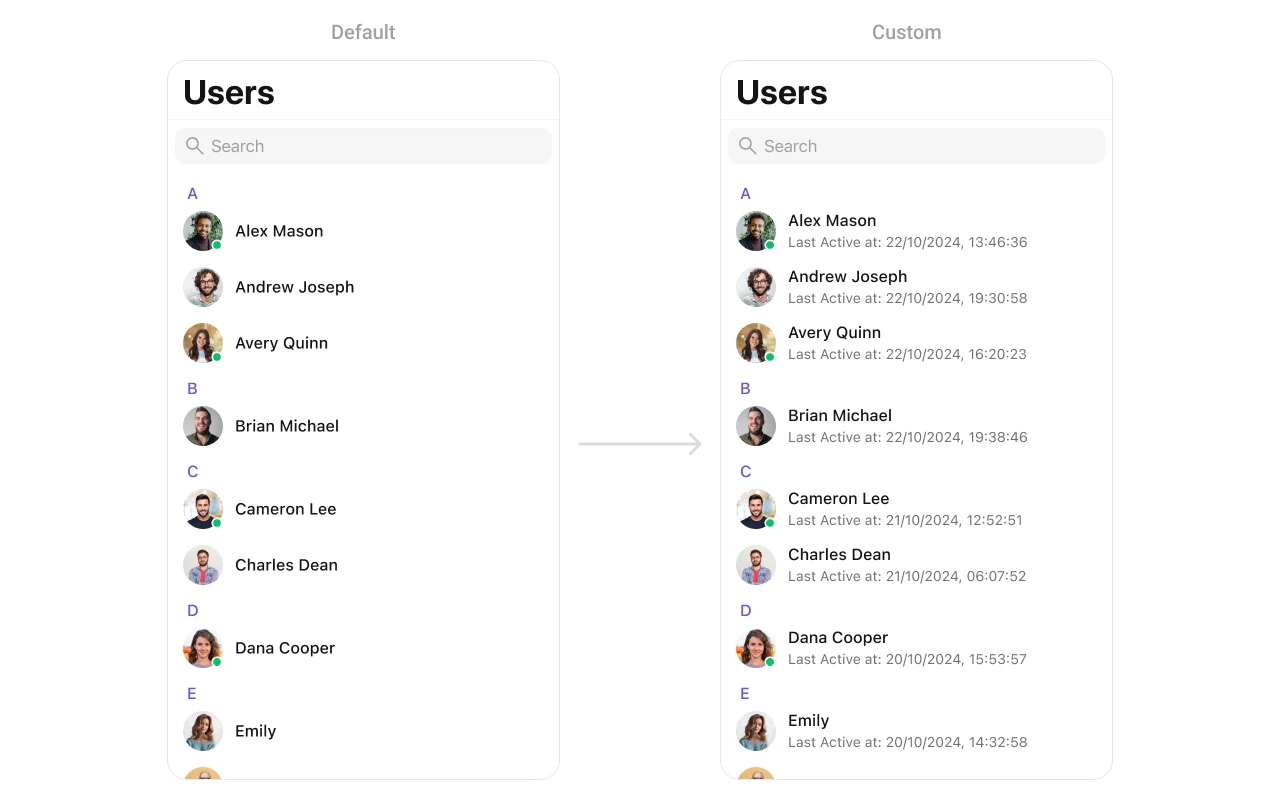
CustomSubtitleView as a custom UIView:
trailingView
Customize the trailing view (right side) of a user cell.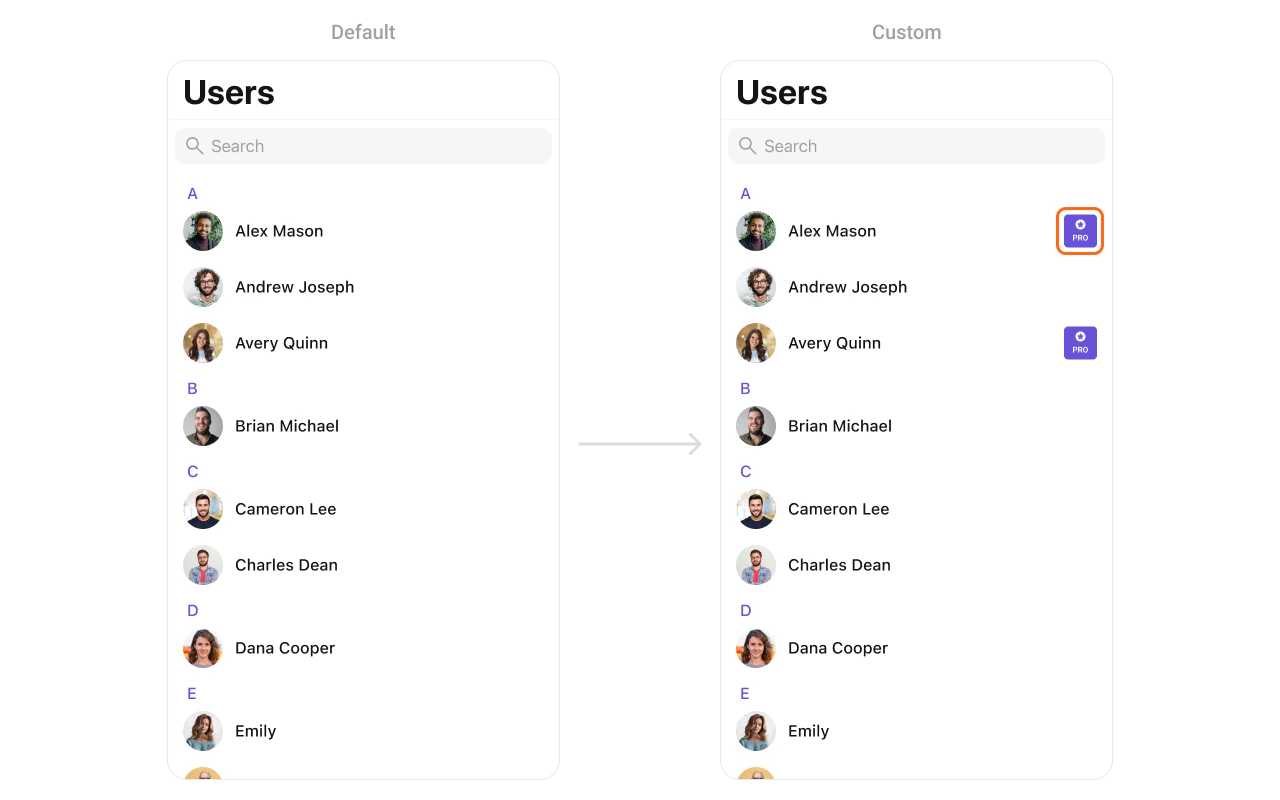
CustomTrailView as a custom UIView:
loadingStateView
Customize the loading state view displayed while data is being fetched.errorStateView
Customize the error state view displayed when an error occurs.emptyStateView
Customize the empty state view displayed when no users are available.Methods
Swipe Action Methods
set(options:)
Sets custom swipe actions for user list items, replacing the default options. These options appear when the user swipes on a user cell.| Parameter | Type | Description |
|---|---|---|
options | ((User?) -> [CometChatUserOption])? | Closure that returns an array of swipe action options for a user |
add(options:)
Adds additional swipe actions to the existing default options.| Parameter | Type | Description |
|---|---|---|
options | ((User?) -> [CometChatUserOption])? | Closure that returns additional swipe action options to append |
Data Manipulation Methods
add(user:)
Adds a new user to the user list.| Parameter | Type | Description |
|---|---|---|
user | User | The user to add to the list |
update(user:)
Updates an existing user in the list.| Parameter | Type | Description |
|---|---|---|
user | User | The user with updated information |
remove(user:)
Removes a user from the list.| Parameter | Type | Description |
|---|---|---|
user | User | The user to remove from the list |
getSelectedUsers()
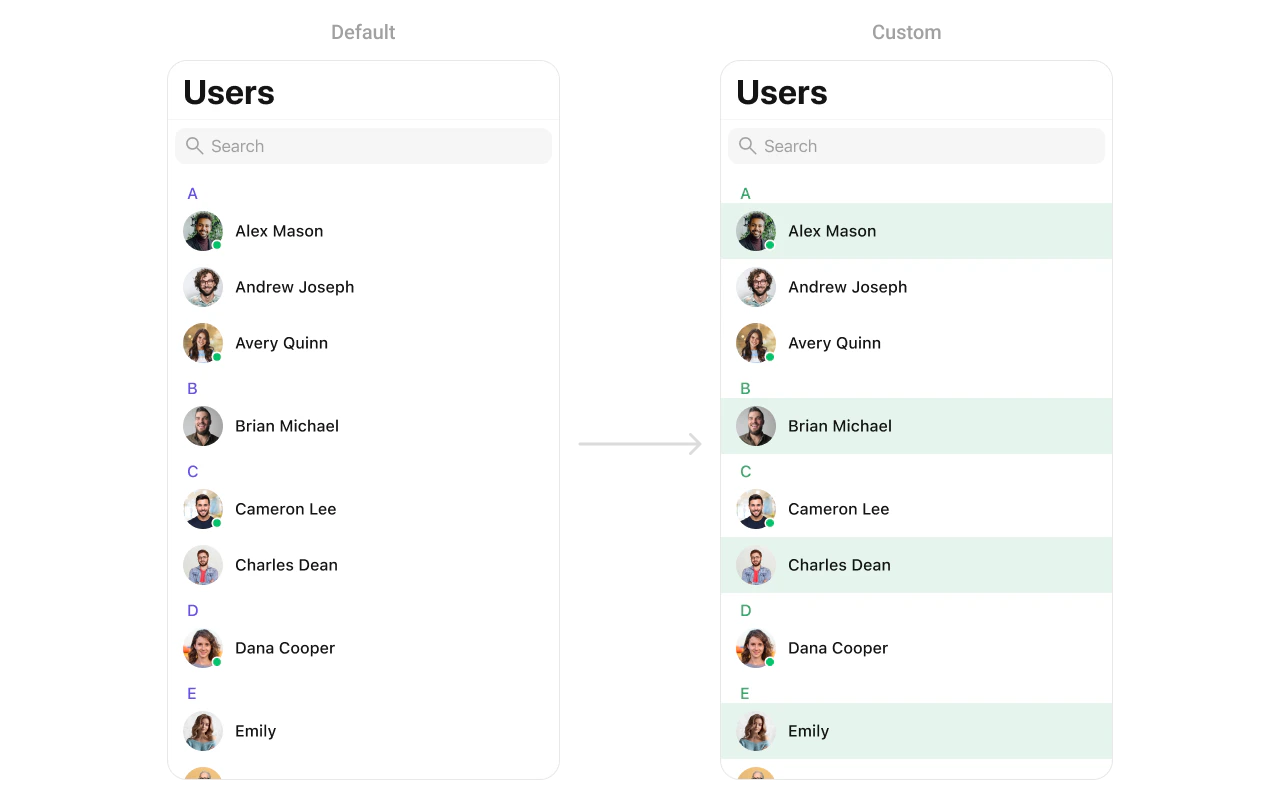
Returns an array of currently selected users when in selection mode.Custom ListItem
For more complex or unique list items, you can create a customUIView file named CustomListItem and integrate it into the set(listItemView:) method.
Styling
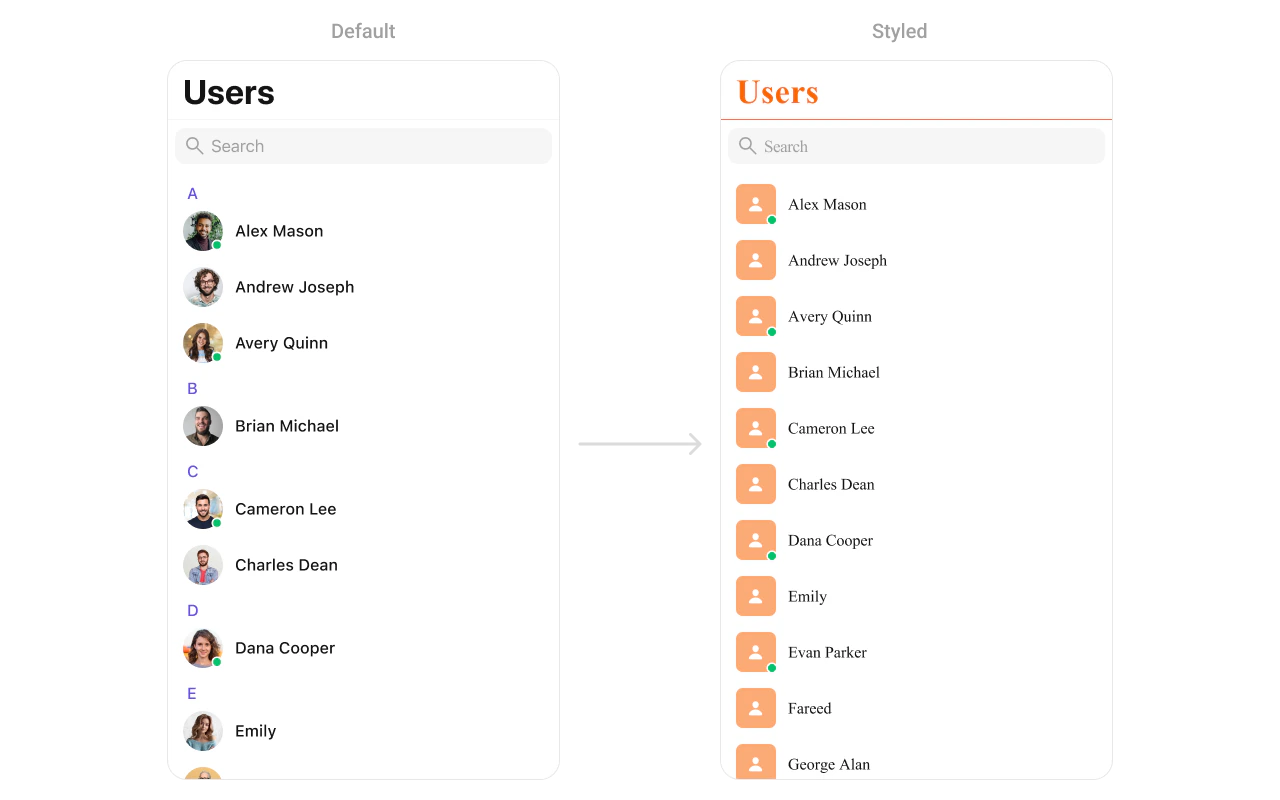
Style Hierarchy
- Global styles (
CometChatUsers.style) apply to all instances - Instance styles override global for specific instances
Global Level Styling
Instance Level Styling
Key Style Properties
| Property | Type | Default | Description |
|---|---|---|---|
backgroundColor | UIColor | CometChatTheme.backgroundColor01 | Background color |
titleColor | UIColor | CometChatTheme.textColorPrimary | Navigation title color |
titleFont | UIFont | CometChatTypography.Heading4.medium | Navigation title font |
listItemTitleTextColor | UIColor | CometChatTheme.textColorPrimary | User name color |
listItemTitleFont | UIFont | CometChatTypography.Heading4.medium | User name font |
listItemSubTitleTextColor | UIColor | CometChatTheme.textColorSecondary | Status text color |
listItemSubTitleFont | UIFont | CometChatTypography.Body.regular | Status text font |
listItemBackground | UIColor | .clear | List item background |
searchBarBackgroundColor | UIColor? | nil | Search bar background |
searchBarTextColor | UIColor? | nil | Search bar text color |
headerTitleColor | UIColor | CometChatTheme.textColorHighlight | Section header color |
headerTitleFont | UIFont | CometChatTypography.Heading4.medium | Section header font |
Customization Matrix
| What to change | Where | Property/API | Example |
|---|---|---|---|
| Background color | Style | backgroundColor | UIColor.systemBackground |
| Title appearance | Style | titleColor, titleFont | Custom colors and fonts |
| List item look | Style | listItemBackground | UIColor.white |
| Avatar appearance | Style | avatarStyle | AvatarStyle() with custom radius |
| Search bar | Style | searchBarBackgroundColor | Custom background |
| Hide search | Property | hideSearch | users.hideSearch = true |
| Hide status | Property | hideUserStatus | users.hideUserStatus = true |
| Custom row | View Slot | set(listItemView:) | See Custom View Slots |
Props
All props are optional. Sorted alphabetically.avatarStyle
Customizes the appearance of avatars in user list items.| Type | AvatarStyle |
| Default | AvatarStyle() |
hideBackButton
Hides the back button in the navigation bar.| Type | Bool |
| Default | false |
hideErrorView
Hides the error state view.| Type | Bool |
| Default | false |
hideLoadingState
Hides the loading state indicator.| Type | Bool |
| Default | false |
hideNavigationBar
Hides the entire navigation bar.| Type | Bool |
| Default | false |
hideSearch
Hides the search bar.| Type | Bool |
| Default | false |
hideSectionHeader
Hides the alphabetical section headers.| Type | Bool |
| Default | false |
hideUserStatus
Hides online/offline status indicators.| Type | Bool |
| Default | false |
onSelectedItemProceed
Callback triggered when the user confirms their selection in selection mode. Use this to handle the selected users.| Type | (([User]) -> Void)? |
| Default | nil |
searchRequestBuilder
Custom request builder for search functionality.| Type | UsersRequest.UsersRequestBuilder? |
| Default | nil |
selectedCellCount
Returns the count of currently selected users in selection mode.| Type | Int |
| Default | 0 |
selectionLimit
Sets the maximum number of users that can be selected in selection mode. When the limit is reached, further selections are disabled.| Type | Int |
| Default | 0 (unlimited) |
selectionMode
Sets the selection mode for multi-select functionality.| Type | SelectionMode |
| Default | .none |
statusIndicatorStyle
Customizes the appearance of online/offline status indicators.| Type | StatusIndicatorStyle |
| Default | StatusIndicatorStyle() |
usersRequestBuilder
Custom request builder for filtering users.| Type | UsersRequest.UsersRequestBuilder? |
| Default | nil |
Events
| Event | Payload | Fires when |
|---|---|---|
ccUserBlocked | User | A user is blocked |
ccUserUnblocked | User | A user is unblocked |
Common Patterns
Friends-only list
Online users only
Custom empty state with CTA
Hide all chrome — minimal list
Multi-select users
Related Components
- Messages - Display messages with a user
- Conversations - List all conversations
- Groups - List all groups
- Users With Messages - Combined users and messages view